> For the complete documentation index, see [llms.txt](https://docs.wonderchat.io/llms.txt). Markdown versions of documentation pages are available by appending `.md` to page URLs; this page is available as [Markdown](https://docs.wonderchat.io/setup-guides/setting-up-your-chatbot/how-to-set-up-dynamic-greeting.md).
# Dynamic Greeting
Guide on How to Enable Dynamic Greetings Based on Page Content
Dynamic greeting generates personalized welcome messages based on the specific page content the user is currently viewing, creating a more contextual and engaging chat experience.
{% hint style="info" %}
This feature requires a Scale plan or higher subscription and your chatbot must have indexed content from your website.
{% endhint %}
***
## Step 1: Go to Chatbots page
Go to the Chatbots page and click on the "Edit Chatbot" selection.
## Step 2: Enable Dynamic Greeting
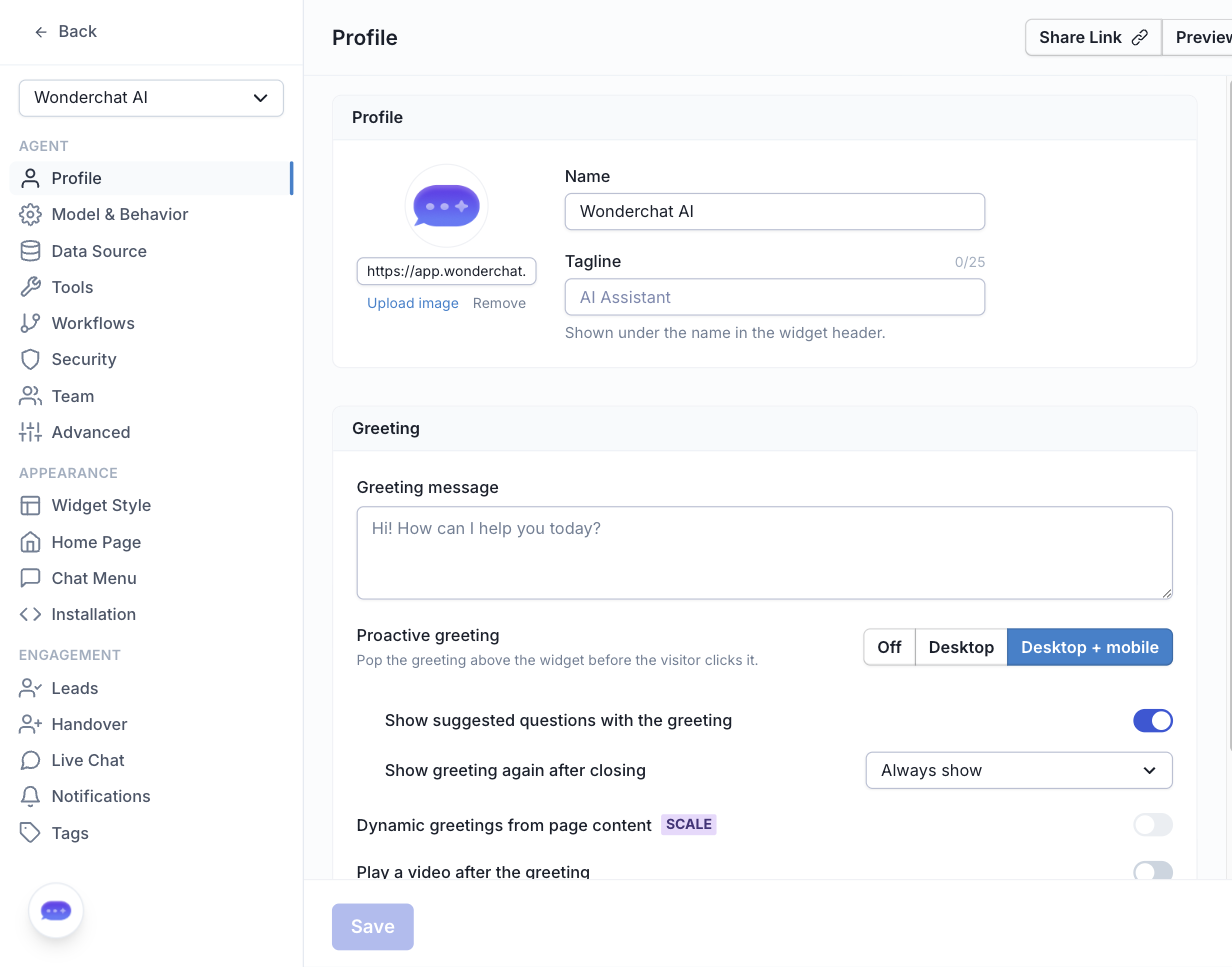
The "Greeting" section lives under the "Profile" tab
Upon entering the Edit Chatbot page, click on the **"Profile"** settings tab (under the **Agent** group).
Scroll down to the **"Greeting"** section and find the **"Enable dynamic greetings based on page content?"** option.
Check the checkbox to enable dynamic greetings for your chatbot.
Click **"Save"** to apply the changes.
***
## How Dynamic Greetings Work
Once enabled, your chatbot will use AI to deliver a different greeting message for each page on your website, tailored based on the content of that page.
## Examples of Dynamic Greetings
Depending on the page content, your visitors might see greetings like:
* **Pricing page:** "Would you like to learn more about our different pricing tiers?"
* **Product page:** "Ask me anything about \[product name]!"
* **Support page:** "Need help? I'm here to assist you!"
* **About page:** "Learn more about our company and what we do!"
## Requirements
For dynamic greetings to work effectively:
* **Pages must be crawled**: The content needs to be indexed in your chatbot's knowledge base
* **Content availability**: Pages with more relevant content and meta tags will generate more accurate greetings
## Best Practices
* **Ensure comprehensive crawling**: Make sure all important pages of your website are crawled and indexed
* **Monitor greeting relevance**: Check that generated greetings match your page content appropriately
* **Have a fallback**: Keep your static greeting message clear and helpful for pages without indexed content
***
If you have any more questions, feel free to reach out to us at ****