> For the complete documentation index, see [llms.txt](https://docs.wonderchat.io/llms.txt). Markdown versions of documentation pages are available by appending `.md` to page URLs; this page is available as [Markdown](https://docs.wonderchat.io/integration-guides/hubspot.md).
# HubSpot
Guide on Integrating Wonderchat with HubSpot
This guide shows you how to connect Wonderchat with HubSpot, enabling seamless syncing of leads collected by your chatbot into your HubSpot CRM. Improve efficiency by automating contact creation and lead management directly from your chatbot interactions.
***
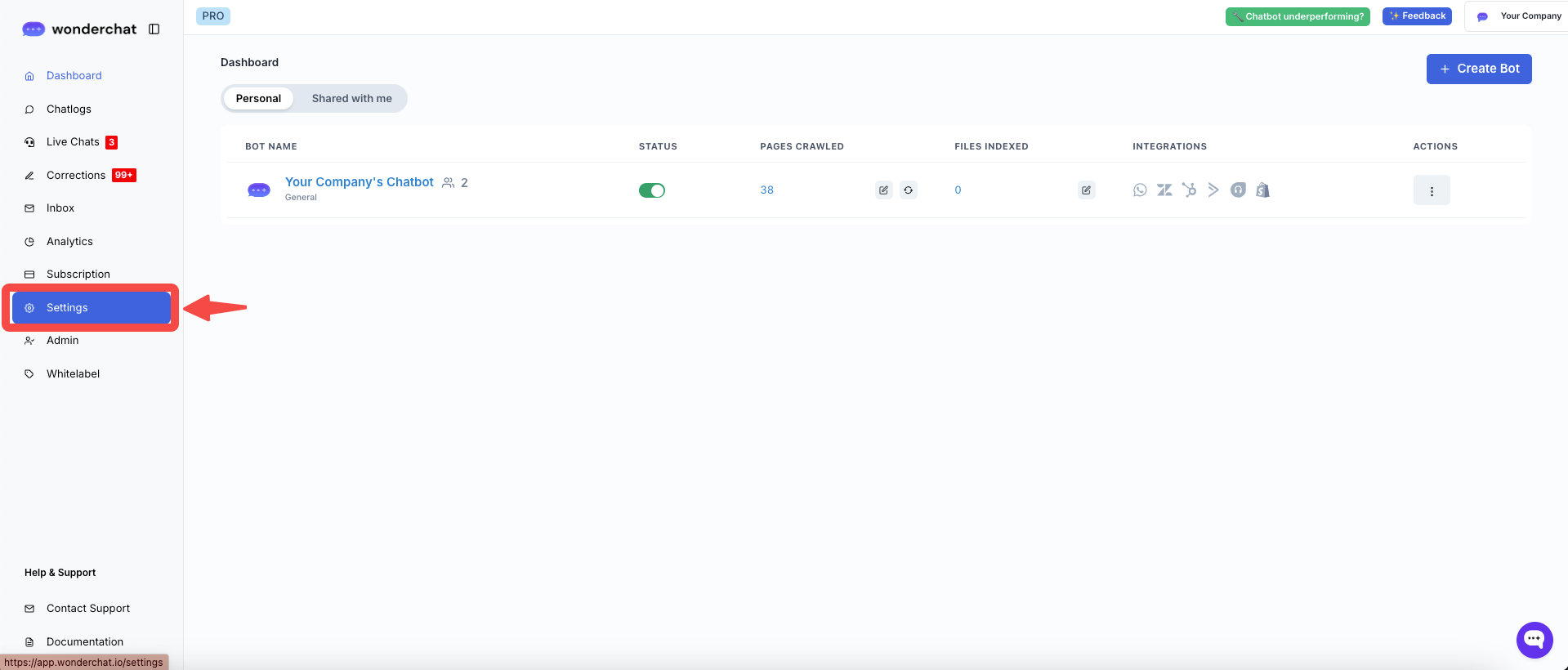
## Step 1: In the homepage's left panel, go to "Settings"
Go to "Settings"
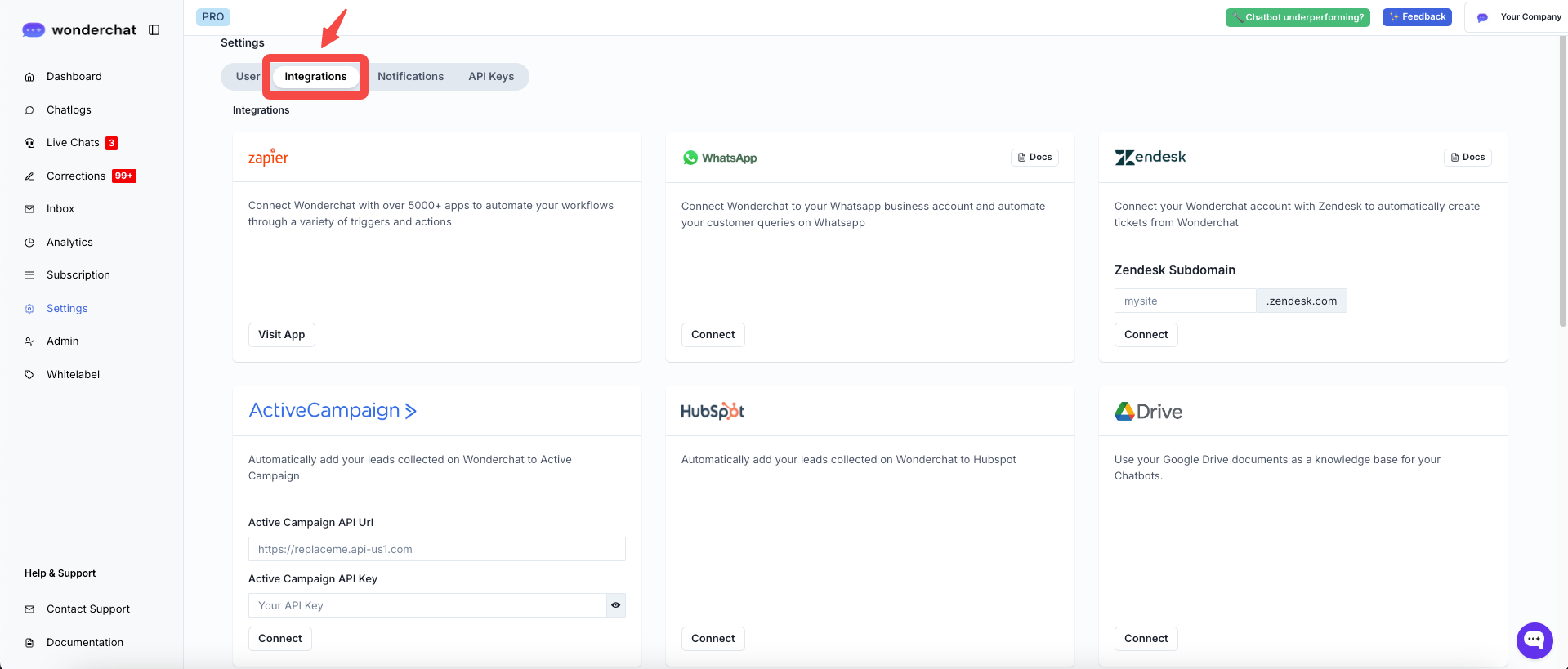
## Step 2: Navigate under "Integrations" tab
Go under "Integrations" tab
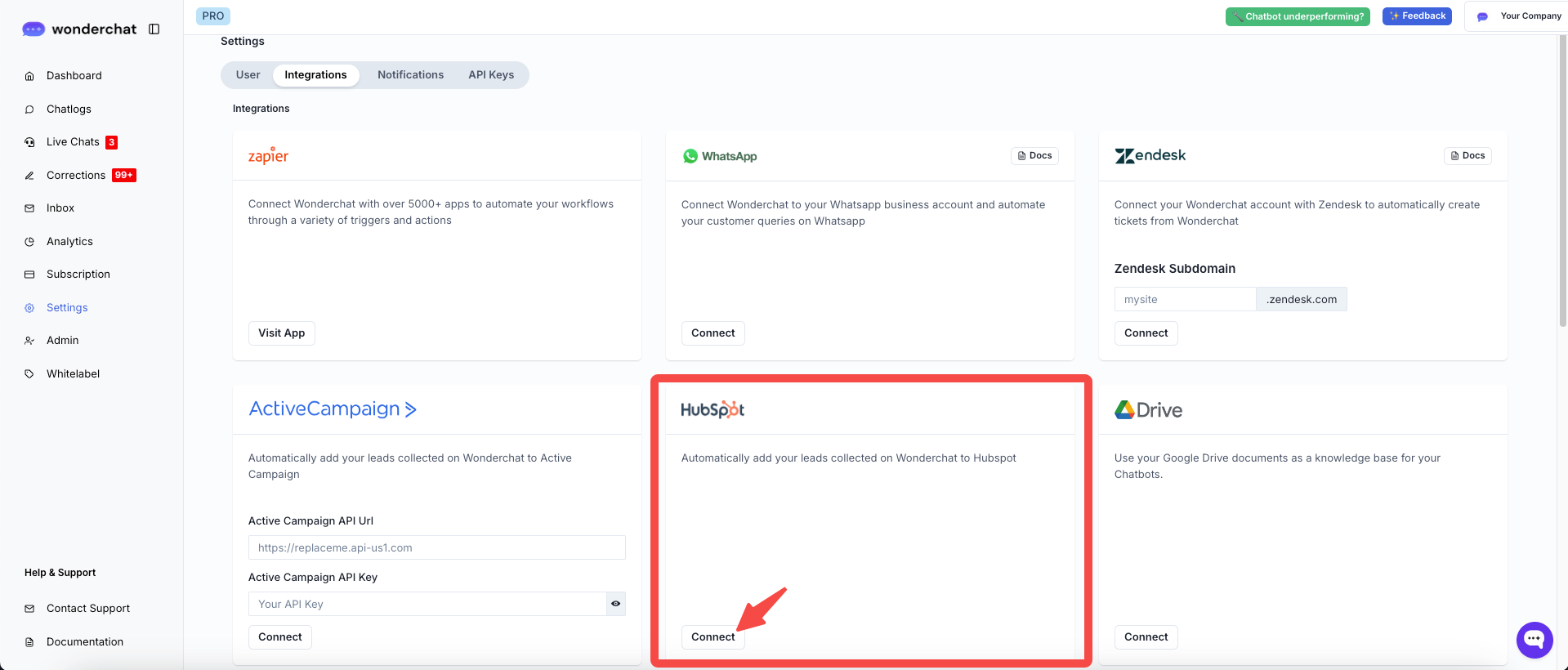
## Step 3: Under HubSpot Integration, click "Connect"
Click "Connect"
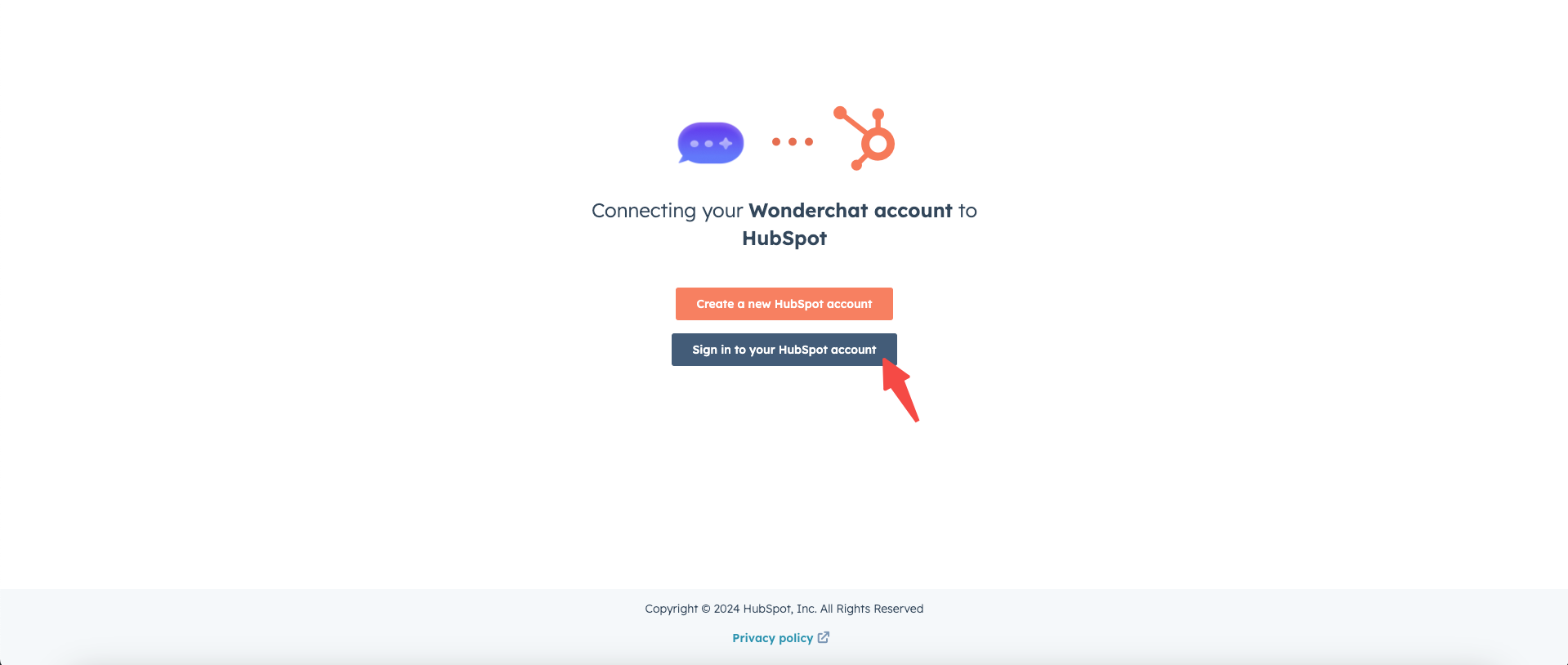
## Step 4: Login to HubSpot
Sign in to your HubSpot account
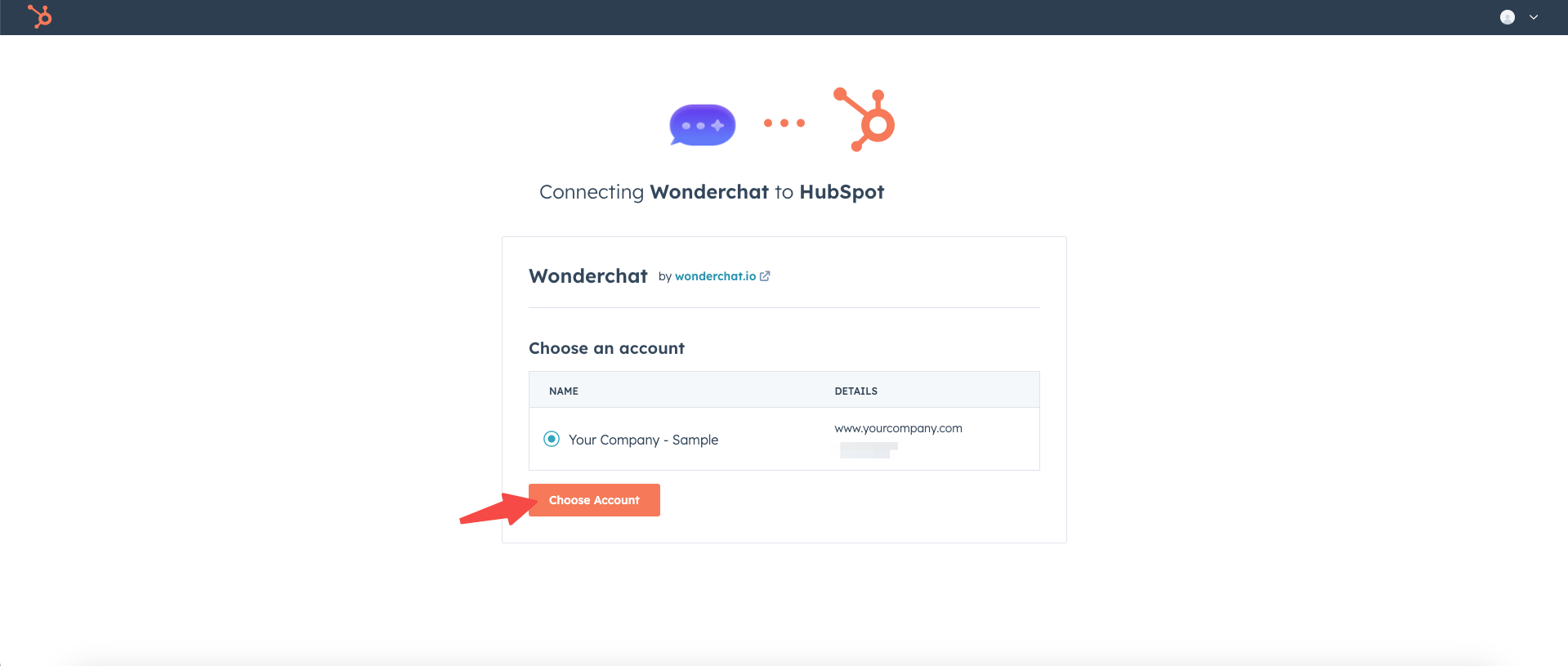
## Step 5: Choose the account you want to connect to Wonderchat
Sample of HubSpot account selection page
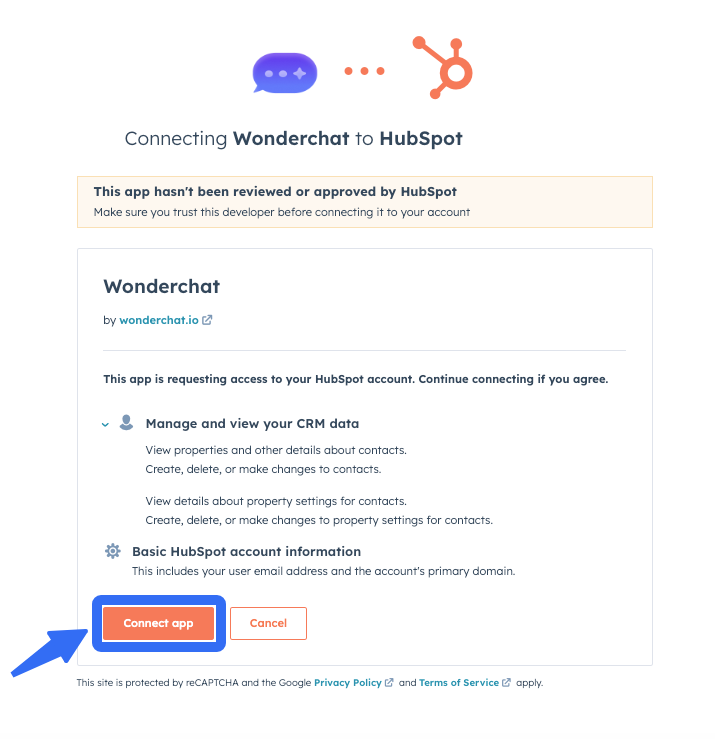
## Step 6: Allow Permission to Connect App
Click on "Connect App"
## Step 7: Successful Connection
Once connected, all names and emails entered into your Wonderchat bot, which are visible in the **Chatlogs**, will be instantly added to your HubSpot contact list.
***
## Additional Guidance: How to Sync HubSpot Contacts
{% content-ref url="/pages/9eNIr8z3sUq9JW6daTeA" %}
[Adding Wonderchat Tags to HubSpot](/integration-guides/hubspot/adding-wonderchat-tags-to-hubspot.md)
{% endcontent-ref %}
***
If you have any more questions, feel free to reach out to us at ****