> For the complete documentation index, see [llms.txt](https://docs.wonderchat.io/llms.txt). Markdown versions of documentation pages are available by appending `.md` to page URLs; this page is available as [Markdown](https://docs.wonderchat.io/setup-guides/setting-up-your-chatbot/ignore-urls-from-your-site.md).
# Ignore URLs from your site
To make sure that your Chatbot does store old links, we would recommend that you **ignore URLs that you do not want the chatbot to index**.
> 💡 The difference between ignoring URLs and deleting URLs is that the former will completely exclude those URLs from ever being crawled. This means that if you choose to reindex your chatbot, ignored URLs will not be crawled.
Deleting urls is a one off deletion, and deleted URLs are removed from your chatbot. However, in the event of a re-crawl, webpages that were previously deleted would still reappear.
***
### How to ignore URLs from your site
1. Click on “Create Bot” or “Edit Chatbot”
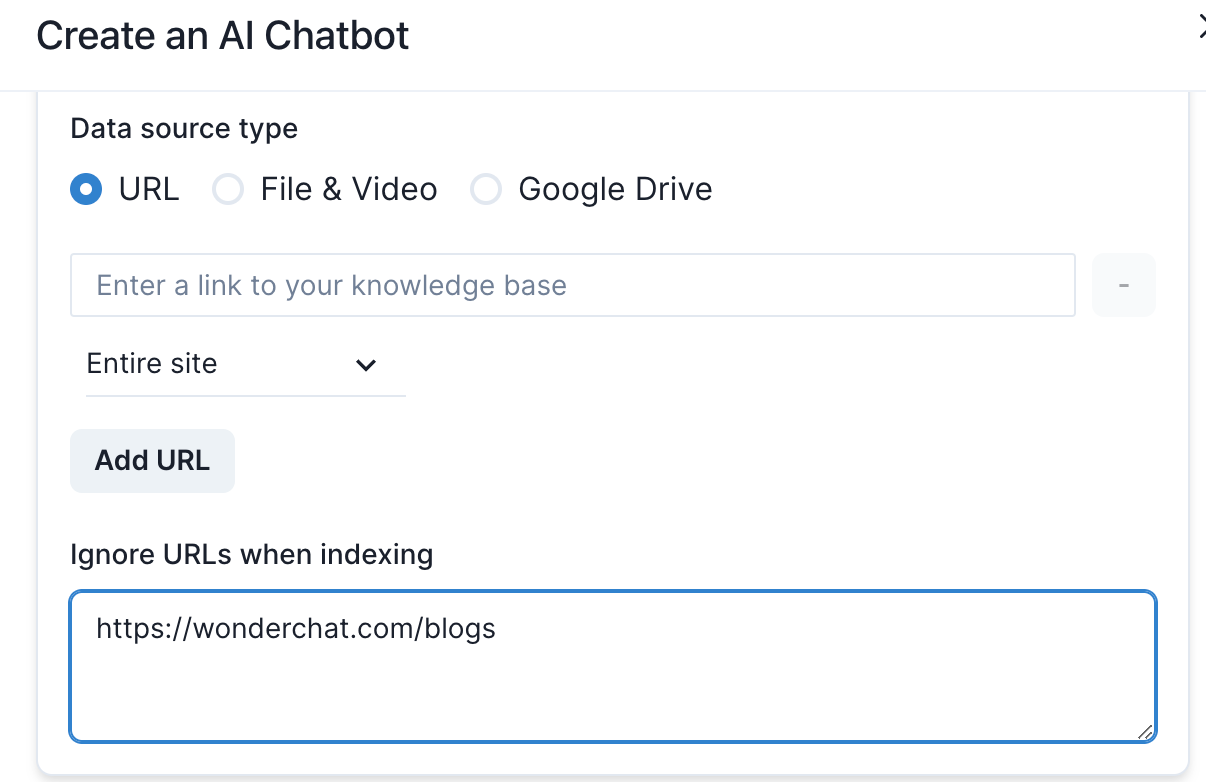
To ignore a single page url, copy and paste the url of the specific page you wish to ignore.
In the example above, the one page url https://wonderchat.com/blogs will be ignored
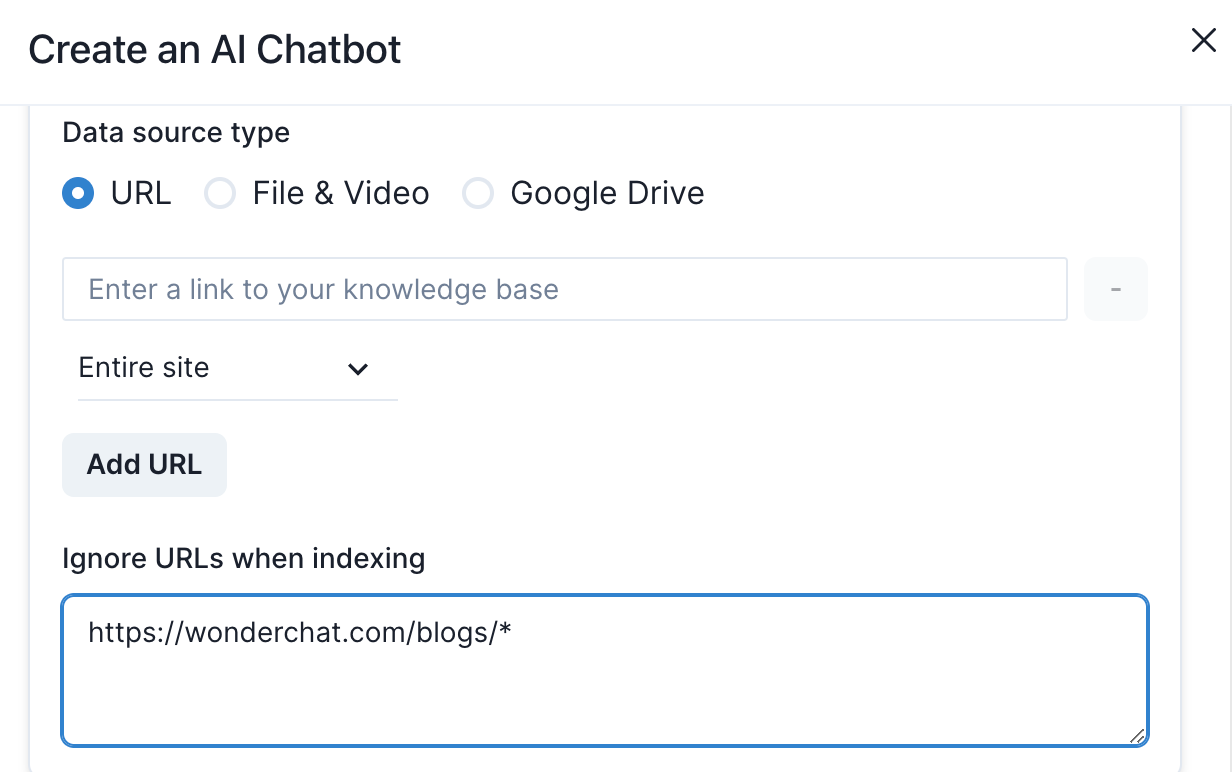
To ignore an entire subdirectory of pages such as you will need to add an asterisk (\*) behind the url name.
In the example above, the entire subdirectory https://wonderchat.com/blogs will be ignored.
Once the link is ignored, it will not be recrawled for your monthly chatbot recrawl or if you press the recrawl button.